Preface
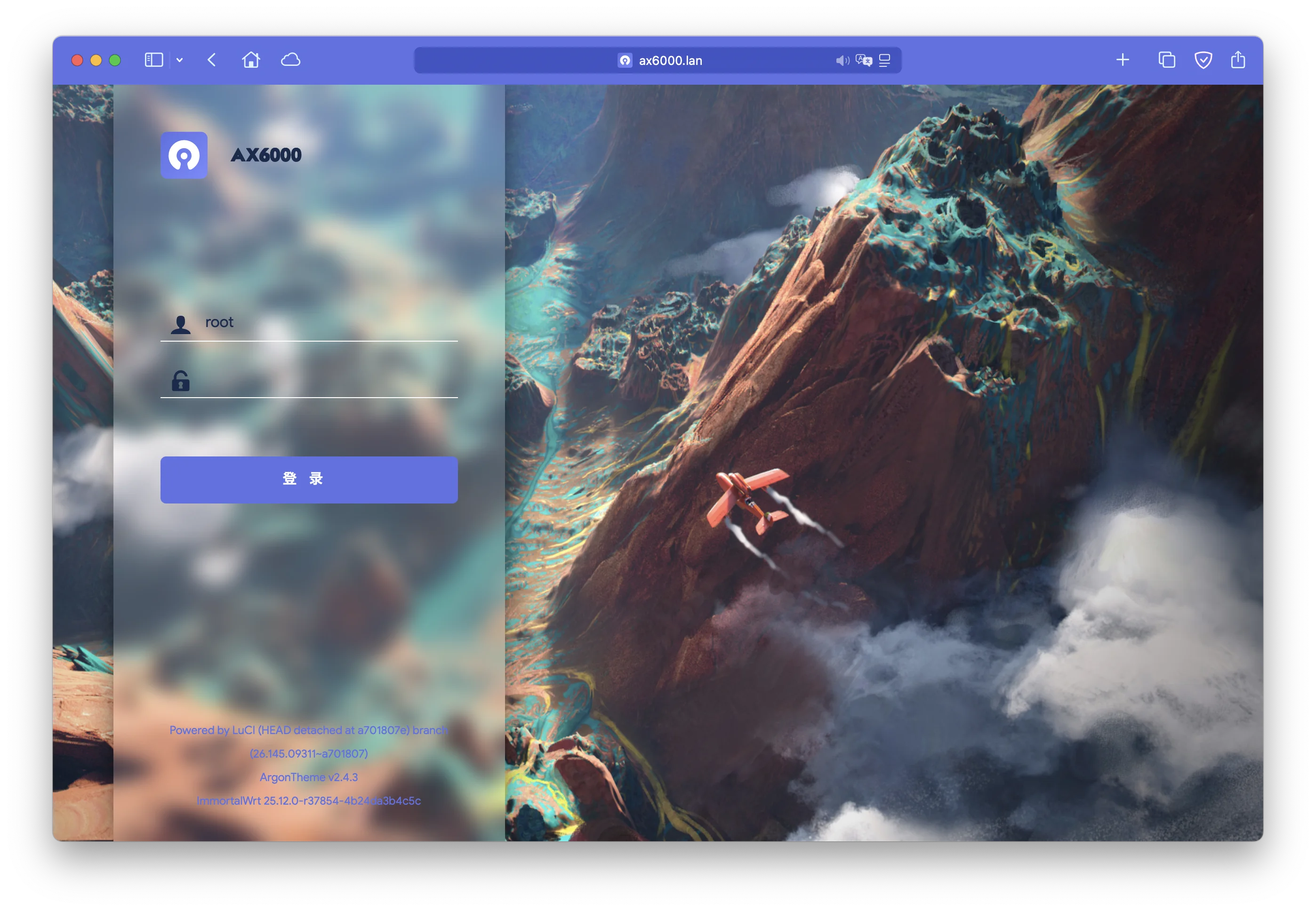
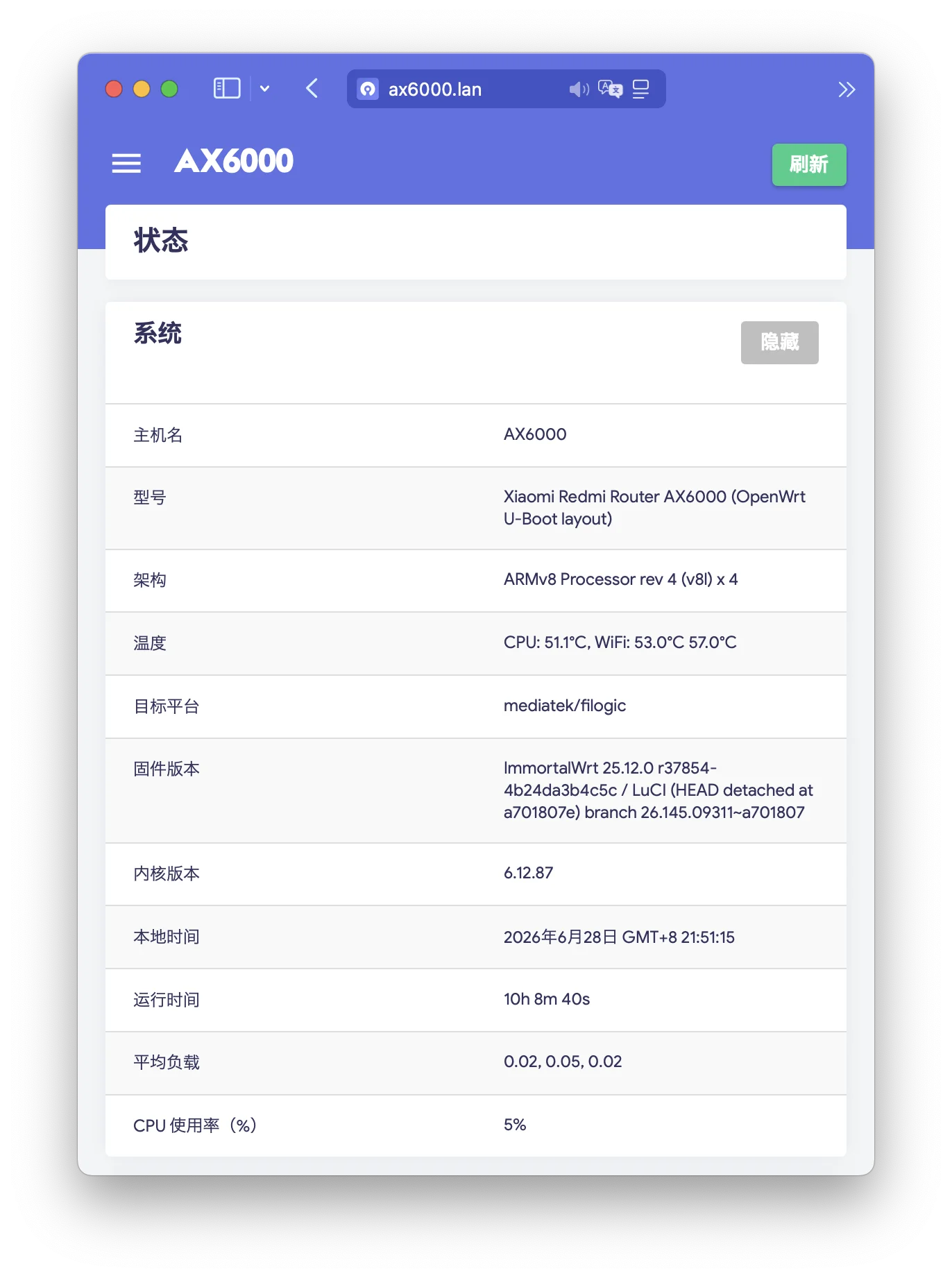
The device in this upgrade was a Redmi AX6000 running ImmortalWrt. The original version was 24.10.6, and the target version was 25.12.0.
What is more worth recording is the collaboration model. I did not flash the router based on habit. Instead, I asked Codex to participate throughout the process. It first inventoried device facts, target version information, package-system changes, backup scope, upgrade steps, and recovery verification. I reviewed the plan. After confirming it was reasonable, Codex continued with the steps it could execute, and I used the output to decide the next instruction.
The result was good. After the upgrade, LAN, Wi-Fi, LuCI, OpenClash, WireGuard, and DDNS all returned to normal. The only window that required manual intervention was short: after the upgrade, I first restored the OpenClash proxy network, then handed WireGuard, DDNS, service checks, and documentation back to Codex.
This article is the postmortem of that upgrade.
Why Let an Agent Help Upgrade a Router?
Router upgrades are different from ordinary software upgrades. If something fails, it is hard to fix by simply rerunning a command. You may lose SSH, DNS, internet access, or even the control path itself, because the router being upgraded is part of the network path.
The core work I wanted Codex to handle was breaking the upgrade into questions that must be answered clearly:
- What exact device profile is currently running?
- What are the current version, kernel, package manager, feeds, and installed packages?
- Does the target firmware really support this device?
- Can 25.12.0 still install the software I depend on?
- Which configuration files should be included in the sysupgrade backup, and which runtime data should be backed up separately?
- How should OpenClash DNS be temporarily bypassed before the upgrade?
- In what order should packages, services, DNS, WireGuard, and DDNS be restored afterward?
- Where should each step stop if it fails, and how can risk be contained?
These questions are well suited to an Agent. It can patiently connect current system facts, official release directories, target images, package lists, backup contents, and verification commands into an executable checklist.
The ideal workflow is: Codex proposes a plan, I review it; after approval, Codex executes commands, reads output, and suggests the next step. My role is to judge whether the plan is reasonable, check whether results match expectations, and approve or stop at key points.
This upgrade was not fully executed by Codex because of my network environment. Codex’s internet access depended on the OpenClash proxy, and OpenClash ran on the router being upgraded. Before the proxy came back, I had to manually close the minimum loop: update the apk index, install OpenClash, and restore proxy networking. After that, I handed follow-up debugging, verification, and documentation back to the Agent.
Current Environment and Target Version
State before the upgrade:
Device: Xiaomi Redmi Router AX6000
board: xiaomi,redmi-router-ax6000-ubootmod
target: mediatek/filogic
arch: aarch64_cortex-a53
Current version: ImmortalWrt 24.10.6
Current kernel: 6.6.133
Package manager: opkg
root shell: /bin/bash
Target version:
Target version: ImmortalWrt 25.12.0
Target kernel: 6.12.87
Package manager: apk
Target image: xiaomi_redmi-router-ax6000-ubootmod-squashfs-sysupgrade.itb
The key point is ubootmod. Redmi AX6000 has different layouts. The image cannot be selected by the product name alone. It must match the xiaomi,redmi-router-ax6000-ubootmod sysupgrade image.
Another key point is that 25.12.0 is not an ordinary minor upgrade. It crosses a package-system boundary: from opkg to apk. That means recovery after the upgrade cannot rely on old habits around /etc/opkg/distfeeds.conf, customfeeds.conf, or .ipk packages.
Why 25.12.0 Was Worth Upgrading From 24.10.6
For me, 25.12.0 was attractive for three reasons: a newer kernel, a new package system, and my own maintenance habits.
First, the kernel. My 24.10.6 system was running kernel 6.6.133, while 25.12.0 uses kernel 6.12.87. Routers do not need the newest kernel for its own sake, but a new maintained kernel branch usually brings driver, network-stack, security, and kmod ecosystem updates. If the target device profile and key packages are compatible, that is a reasonable reason to upgrade.
Second, the package manager changed. OpenWrt 25.12 switches the default package manager from opkg to apk. opkg has been OpenWrt’s traditional package manager for years, but long-term maintenance and dependency handling have become limiting. apk comes from the Alpine ecosystem, is still actively maintained, and has a more modern experience around indexes, dependency resolution, and commands.
For daily maintenance, the direct changes are:
- Software feeds move from
distfeeds.confto/etc/apk/repositories. - Install, query, upgrade, and remove commands all use apk syntax.
- Package debugging should focus on apk repository indexes and the
apkcommand, not old opkg state.
Third, personal preference: infrastructure can be stable, but it should not lag too far behind. In the past, I often postponed upgrades because the steps were tedious and the cost of failure was high. With an Agent, inventory, comparison, backup lists, recovery order, and verification commands can be handed to Codex, making the burden much lower.
24.10.6 remains a suitable service release for the 24.10 line. 25.12.0 is the start of a new stable branch. For router infrastructure, a new branch is not automatically better. My judgment this time was that the device profile was clearly supported, key packages could be restored from official feeds, DNS and OpenClash risk was controllable, and the upgrade benefits outweighed the maintenance cost.
Checks Required Before the Upgrade
This was the most important part of the plan. Firmware upgrade risks are usually planted before sysupgrade runs. If the device profile, backup scope, DNS path, feeds, or recovery order is wrong, the later steps become passive.
1. Confirm the Device Profile
At minimum, check:
ubus call system board
cat /etc/openwrt_release
Focus on board_name, target, arch, and the current version. The image must match ubootmod; do not gamble with an image for a different layout.
2. Confirm Backup Space and Runtime State
df -h / /overlay /tmp
ip route
wifi status
/tmp must be able to hold the firmware image, and /overlay must have enough space for backups and temporary configuration. Do not perform the real upgrade over WireGuard, because the upgrade will restart the network stack. Operate from the local network if possible.
3. Back Up Key Configuration
I split backups into two types.
The first type should be kept by sysupgrade:
/etc/config/network
/etc/config/wireless
/etc/config/firewall
/etc/config/dhcp
/etc/config/ddns
/etc/config/openclash
/etc/config/system
/etc/config/luci
/etc/dropbear/authorized_keys
/etc/passwd
/etc/group
/etc/shadow
/etc/crontabs/root
The second type should be backed up offline but not placed into sysupgrade retention: OpenClash cores, rule sets, Geo data, and historical caches. These are large and stateful, so they should not all be carried into the upgraded system.
4. Narrow the Sysupgrade Retention Scope
This was one of the most valuable parts of the Agent plan: do not preserve every directory that looks useful.
Especially avoid:
/etc/opkg
/usr/share/openclash
/etc/openclash full directory
/data
/www
25.12.0 has switched to apk, so preserving /etc/opkg only carries old package-system history into the new system. OpenClash runtime data should also be backed up separately and restored after the upgrade.
5. Temporarily Bypass OpenClash DNS
My original DNS chain depended on OpenClash:
dnsmasq -> 127.0.0.1#7874 -> OpenClashAfter the upgrade, if OpenClash has not recovered but DNS still points to 127.0.0.1#7874, the router enters a misleading half-dead state: Wi-Fi and WAN look normal, but domains cannot resolve.
So before the upgrade, change DNS temporarily back to a normal upstream and confirm:
nslookup openwrt.org 127.0.0.1Only continue after resolution works.
6. Temporarily Switch the root Shell Back to ash
My root shell was originally /bin/bash. If bash is not installed after the upgrade but /etc/passwd still points to /bin/bash, SSH login may break.
So before upgrading, temporarily switch root back to /bin/ash. After the new system boots and bash is installed, switch it back.
7. Verify Firmware Hash and Compatibility
After downloading the firmware, verify its sha256, copy it to the router, and run:
sysupgrade -T <firmware.itb>Only proceed with the real upgrade if there is no device mismatch, format error, or compatibility error.
Pitfalls to Avoid
Do Not Mix opkg, ipk, and apk
This is the biggest boundary in the 25.12.0 upgrade.
After the upgrade, do not write 24.10 third-party .ipk feeds into /etc/apk/repositories, and do not try to restore old packages with opkg. For a third-party feed to work on 25.12, it should at least satisfy:
1. Package files are .apk
2. The repository has packages.adb
3. The arch is aarch64_cortex-a53
4. The version line is 25.12
5. It does not mix 24.10/opkg/ipk packages
Do Not Treat OpenClash as an Ordinary Config Directory
/etc/config/openclash can be retained, but /etc/openclash contains a lot of runtime data. My approach was: keep the config through sysupgrade, archive the runtime data separately, restore it while OpenClash is stopped, then start the service.
Do Not Restore OpenClash DNS Too Early
Only point dnsmasq back to 127.0.0.1#7874 after OpenClash is running and listening on 7874.
Do Not Upgrade Remotely Over WireGuard
WireGuard restarts along with the network stack and kernel modules. Do not rely on it as the control channel for the real upgrade.
Do Not Bulk-Restore Historical Packages
opkg list-installed is useful as a reference, but do not blindly install everything after the upgrade. Restore only key packages confirmed to exist in the 25.12 official apk feeds, then verify services one by one.
Close the bash/ash Shell Loop
If root points to /bin/bash, it is safer to switch temporarily to /bin/ash before upgrading. After the new system boots, bash may not be installed yet. If /etc/passwd still points to /bin/bash, you may lock yourself out.
The recovery phase must close the loop in the other direction: confirm bash is installed and /bin/bash exists before switching root back.
Reserve a Manual Takeover Window When the Agent Depends on OpenClash
This limitation was specific but important: before OpenClash recovered, Codex could not reliably access the internet. The plan had to identify this manual takeover window in advance: after the upgrade, a human first runs apk update, installs OpenClash, and restores proxy networking; only after OpenClash works should control return to the Agent.
Two Special Choices in This Upgrade
1. Switching From the USTC Mirror Back to the Official Feed
I had previously switched feeds to the USTC mirror for speed. My instinct before the upgrade was to keep using the mirror.
But during recovery, the USTC mirror lacked some key packages, especially packages related to one proxy application. The official downloads.immortalwrt.org feed was more complete and, in my network environment, accessible without a proxy.
So the final plan was: during 25.12.0 recovery, use only the official feed, not USTC and not third-party feeds. Restore the system and key services first, then consider mirror acceleration later.
My /etc/apk/repositories used the official 25.12 feeds, including target packages, kmods, and the base, luci, packages, routing, and telephony feeds under aarch64_cortex-a53.
2. The Only Manual Takeover Window: Restoring OpenClash
After the upgrade, my manual work focused on restoring the proxy network:
apk update
apk add luci-app-openclash luci-compat
Once OpenClash recovered and the proxy was usable, I handed the remaining work back to Codex. WireGuard package installation, network restart, interface verification, and log checks were handled after Codex took over again.
Recovery Order After the Upgrade
The final recovery order had two phases:
- Manual proxy recovery: basic checks, confirm
apkand/etc/apk/repositories, use the official feed forapk update, install OpenClash, and restore proxy networking. - Codex finishing work: install bash, WireGuard, DDNS, Argon, bridger, and other key packages; switch the root shell back to
/bin/bash; restore OpenClash runtime data and DNS; restart network; verify WireGuard, DDNS, LuCI, client access, and logs.
The benefit of this order is that every step has clear prerequisites. DNS is not restored before OpenClash. bash is not selected before the package is installed. WireGuard is not verified only by checking package lists; the network handler and real interface are also checked.
apk Quick Reference
After 25.12, daily maintenance needs to move from opkg habits to apk.
Update indexes:
apk updateInstall packages:
apk add bash luci-app-openclash wireguard-toolsSearch packages:
apk search openclash
apk search wireguard
List installed packages:
apk list --installed
apk list --installed | grep wireguard
Show package information:
apk info bash
apk info -a bash
Remove a package:
apk del <package>View and edit repositories:
cat /etc/apk/repositories
vi /etc/apk/repositories
apk update
Compared with opkg, the most important habit to rebuild is this: do not edit /etc/opkg/distfeeds.conf, do not treat .ipk as installable packages, and do not mix old feeds into the new system.
Reflections on Using an Agent
This upgrade confirmed something for me: an Agent can significantly reduce the operational burden of infrastructure maintenance. Beyond writing a plan, it can execute many tedious, repetitive, easy-to-miss steps and break the upgrade into verifiable phases.
The places where it helped most:
- Starting from actual device facts instead of treating “AX6000” as the only identifier
- Recognizing the
apkmigration in 25.12.0 as the main risk boundary - Splitting backups into sysupgrade configuration and runtime data
- Handling easy lockout problems such as OpenClash DNS and bash shell before they became failures
- Clarifying which third-party feeds must not be migrated and which packages could be restored from official feeds
- Assigning verification commands to every phase
- Executing tedious commands, reading results, and proposing the next operation based on evidence
The human role also became clearer. I did not need to spend attention copying commands, sorting package lists, or repeatedly checking paths. I could focus on reviewing the plan, watching key output, judging recovery results, and issuing the next instruction. The work moved faster than a purely manual process, and the reasoning was steadier.
My conclusion: router upgrades can involve an Agent deeply, but they should not become unattended scripts. The most stable pattern is to let the Agent plan, execute, verify, and organize information, while the human reviews, authorizes, takes over during network interruption, and makes decisions at key points.
Summary
Upgrading a Redmi AX6000 from ImmortalWrt 24.10.6 to 25.12.0 is feasible, but it must be treated as an opkg -> apk migration rather than a normal minor upgrade.
The four most important lessons from this upgrade:
- Confirm the
ubootmodprofile, firmware sha256, andsysupgrade -Tfirst. - Narrow the backup scope before the upgrade; do not carry old
opkgstate or large runtime data into the new system. - Use the official apk feed first after the upgrade, restore key services, and only then consider third-party feeds.
- A manual takeover window is needed before OpenClash recovers; after that, Codex can handle WireGuard, DDNS, and follow-up verification.
If you are upgrading a similar device, I recommend asking an Agent to build a plan based on your current machine facts, then executing it step by step. Do not copy someone else’s commands blindly, especially around board profile, feeds, DNS, and third-party plugins.