Preface
I turned a small but very practical need into an Agent skill: agent-bark-notify.
GitHub repo: Agent Bark Notify
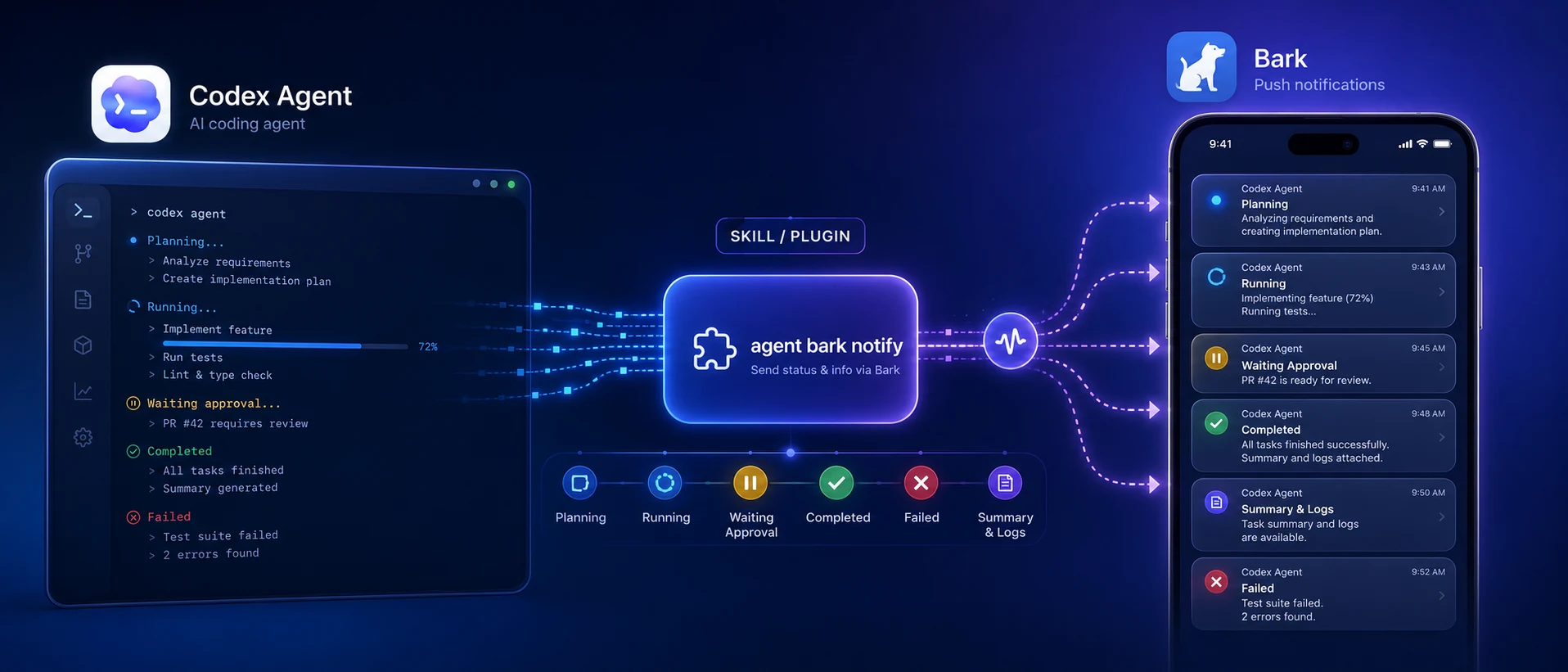
The idea came from using Codex Goal mode for a series of long-running tasks. Once the Agent started working, I often left the computer. At that point it became inconvenient to know what was happening. I could open the ChatGPT app and connect back to Codex, but that was still clumsy and not very direct. So I built this skill, letting Codex proactively report progress while it works.
In practice, it feels better than expected. Instead of repeatedly checking the Agent’s status, I get a sense that the task is under control. It is a small layer on top of infrastructure I already had, but when combined with an Agent workflow, it noticeably improves the user experience.
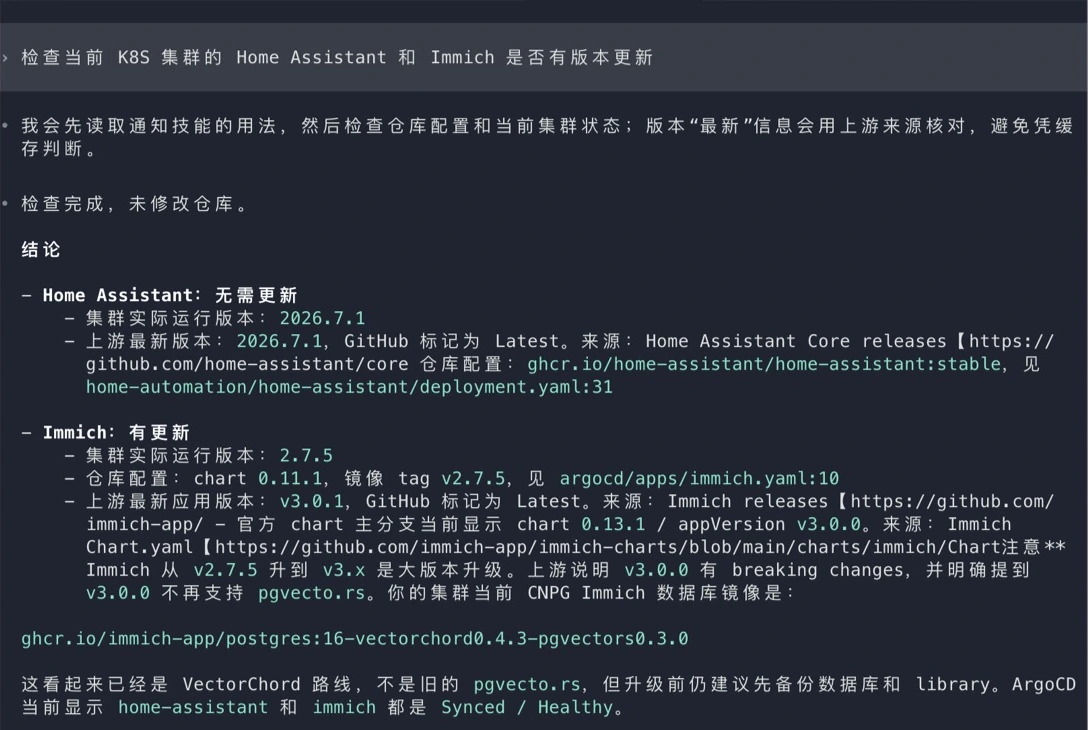
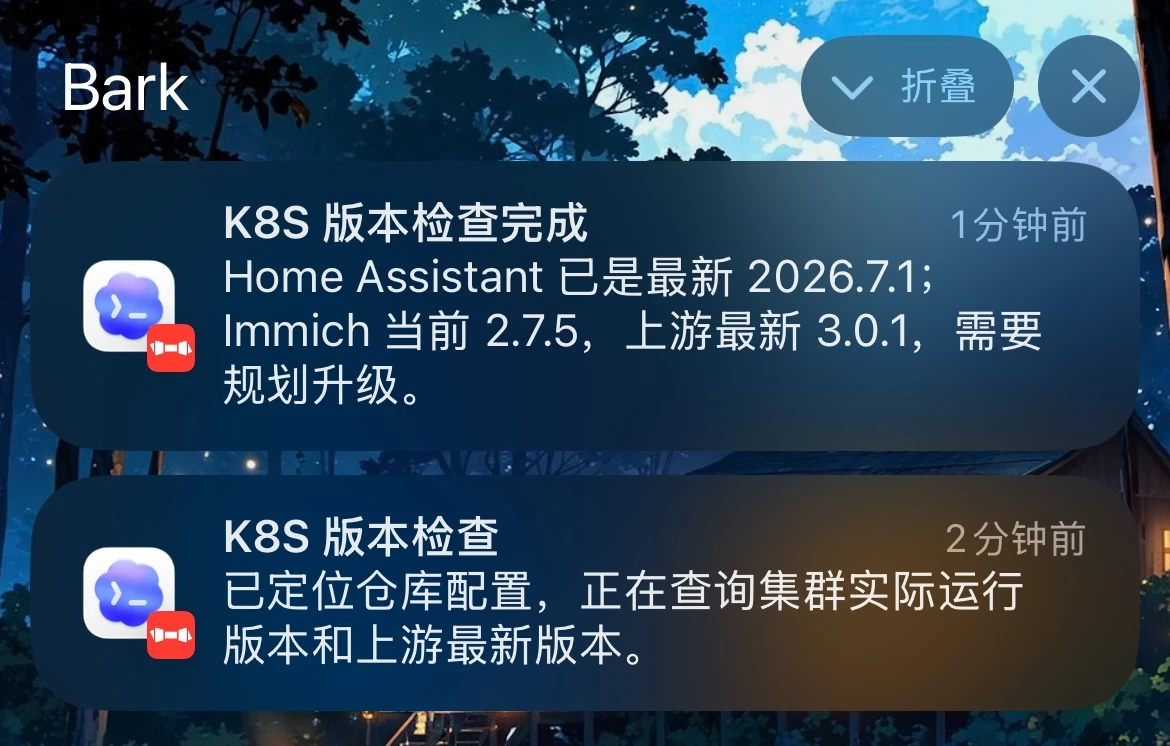
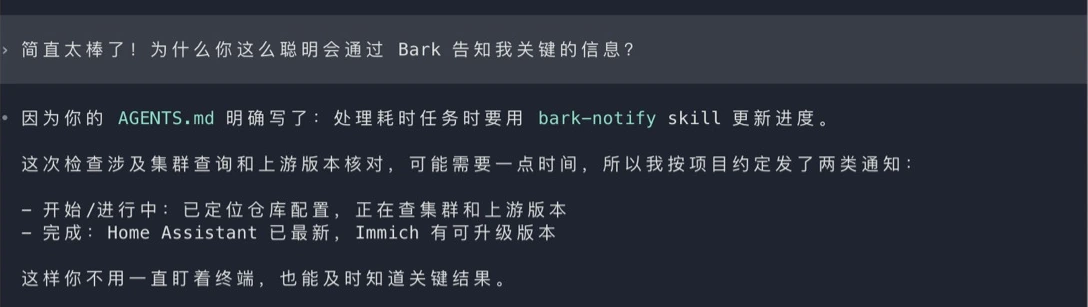
Principles, Installation, and Features
Principles
This skill was written with Skill Creator, so it follows the standard skill structure. The mechanism is simple:
-
The Agent loads
SKILL.mdfirst: it reads when to notify, which interruption level to use, how parameter overrides work, and how to handle sensitive information. -
The Agent chooses a notification level based on task state: normal progress uses
passive, blockers and failures usetimeSensitive, andcriticalis reserved for explicitly urgent scenarios. -
The Agent calls the bundled script: it runs
scripts/bark-notify.pyrelative to the skill directory, so no global package installation is needed. -
The script reads local private configuration: the Bark key comes from
~/.config/bark-notify.env, while Agent grouping and icon metadata come from~/.config/bark-notify-agents.json. -
The script sends a request to the Bark server: by default it uses the official service at
https://api.day.app, though it can also target a self-hosted Bark server. -
The phone receives the notification: the user decides whether to return to the task based on the status, blocker, failure, or acceptance result in the message.
Installation
Open your Agent and enter:
Read the README of the following project and deploy it locally according to the instructions:
https://github.com/Lumen01/agent-bark-notify
Then add one line to your global or project AGENTS.md:
- Use the bark-notify SKILL to update the user on progress, especially when handling time-consuming tasks.Restart your Agent, and it will report task status or results at appropriate points in future work.
Feature Details
If you want to customize the setup, these details are useful:
- Custom icons: each Agent can use its own icon URL, making the source of a phone notification obvious.
- Message grouping: notifications can be grouped by Agent, project, or task type, keeping the Bark notification list easier to scan.
- Interruption levels:
passive,active,timeSensitive, andcriticalare supported for different task states. - Custom sounds: a Bark sound name can be passed for important tasks that need a more recognizable alert.
- Tap-through URLs: notifications can include a URL so tapping them opens the task, log, or project directly.
- Copy text: a short command, task ID, or diagnostic clue can be placed in Bark’s copy field.
- Badge counts: the skill can set the iOS app badge, which is useful for reflecting pending work.
- Connectivity checks: the built-in
--pingcommand can verify the Bark server before sending a real notification. - Local config saving:
--save-configwrites server and key settings to a local private config file, keeping secrets out of project files.
My recommendation is to let the Agent handle everything except the key.
Notes on Usage
Agent Support
This project can be shared by multiple Agents. I use Codex most often, followed by Claude Code and OpenCode, and all of them can run it cleanly. If your setup is similar, the default shared path works well:
~/.agents/skills/bark-notifyDifferent Agents can then reference it using their own skill directory conventions. For example, Codex can link it into ~/.codex/skills/bark-notify, while Claude, OpenCode, or other Agents can use their own paths.
The shared directory has two advantages: the notification rules are maintained in one place, and each Agent can still send notifications with its own identity. Codex notifications can go into a Codex group, Claude notifications into a Claude group, and a quick glance at the phone tells me who is reporting.
Other Agents should work the same way as long as they follow the rules in the skill file.
Official Bark Service or Self-Hosted Server?
Bark provides an official service and also supports self-hosting. This skill supports both. It uses https://api.day.app by default, but BARK_SERVER can point to your own server.
The official service is simpler. Install the Bark app, get the device key, configure the script, and it works. For personal use, low-frequency notifications, and non-sensitive content, this is the lowest-friction path.
The main reasons to self-host are privacy and control.
A Bark notification request may include the title, body, group, target URL, copy text, icon URL, and interruption level. With the official service, those requests pass through the official Bark server before being forwarded to Apple Push Notification service. Ordinary reminders are fine on this path. Deployment environments, internal service names, error summaries, and machine details are better suited to a self-hosted server.
A self-hosted Bark server reduces that exposure by routing the request through your own service before it enters Apple’s push pipeline. iOS push still depends on APNs, so notification content still enters Apple’s infrastructure; the main value is avoiding the official Bark server.
My rule of thumb:
- Personal tasks, test notifications, and non-sensitive progress: the official service is convenient enough.
- Company projects, internal services, deployment status, and device maintenance: prefer a self-hosted server.
- Anything that may contain tokens, secrets, or full logs: do not send it, even through a self-hosted server.
That is why the skill emphasizes one rule: Agents should not paste sensitive configuration or complete command output into notifications. A notification should summarize state, not dump logs.
Good Task Types
I mainly use it for:
- Codex Goal style long-running multi-step tasks
- Builds, tests, deployments, and rollbacks
- Remote server or device maintenance
- Continuous verification after multi-repository changes
- Debugging sessions that need a human decision in the middle
- Background work where the Agent should remind me to come back and review the result
It should not notify on every single step. The ideal shape is notification at phase boundaries:
Starting a long build
Tests passed
Build failed and needs repair
Remote service recovered
Task completed
Waiting for user confirmation on next step
The goal is small but useful: reduce the number of times I need to manually check task status.
Summary
agent-bark-notify is a small skill, but it fills an important gap in Agent workflows: status feedback.
Previously, when an Agent ran for a long time, I either had to stay at the computer or come back periodically to check. Now it can proactively tell me progress, results, and blockers at the important moments.
The real value is that the Agent starts behaving more like a collaborator: working quietly, reporting at phase boundaries, interrupting only when risk appears, and keeping sensitive information local.